
New Staff Laptops FAQs

Time Saving Tip: Many students and teachers end up accessing Google tools from their phones. As a result, most of us are logged into multiple Google accounts on our phones. Up until last week, I would click on my avatar in the upper, right corner and then select the account I wanted to switch to. But did you know you can save a few nano-seconds by just swiping up or down on that avatar and Google will switch between your accounts? This works in Google Mail (Gmail), Google Drive, Google Keep, Jamboard, Slides, and Docs. It works in most of the Google apps except for Calendar. Video Demonstration.

ELLevation is a one stop shop for learning about the Multilingual Learners (aka English Learners) in your classroom. Teachers have access to 3 components of ELLevation:
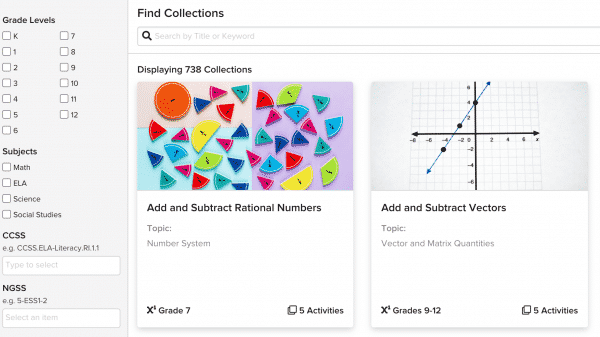
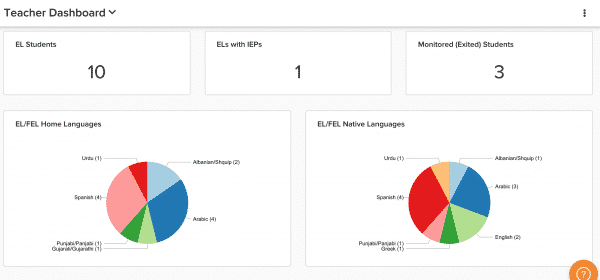 ELLevation Strategies: Looking for ideas for how to meet the needs of learners in your classroom? ELLevation strategies offers strategies to support content and classroom teachers in reaching all students in their classroom. These strategies include resources, videos and differentiation suggestions for the students in your class based on their language proficiency.
 Monitoring: You can complete monitoring forms for Former ELs (FELs) in your classroom. The quick check in allows you to communicate any concerns you might have with students who have exited EL services but who continue to be monitored for 4 years after their exit date.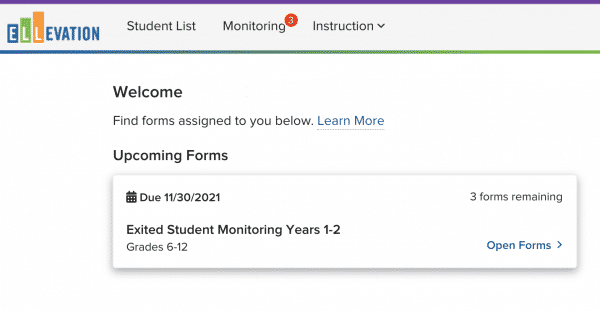
Interested in learning more?
We have a 3 hour Canvas course available for SCHEH credit. Educators can also access the ELLevation Academy (click on the little graduation cap in the navigation bar once you log into your account) to learn how to navigate the site.
To get started, you’ll need to create a password for your account HERE. Be sure to log in with your PCCSK12 email account.
Not seeing what you’re expecting? Please complete this form and we’ll help you get the access you need!
Any additional questions or support requests can be sent to Denyaz Farhat, K-12 MLL Instructional Coach.

Beginning in late October 2021, the K12 Adobe Spark for Education plan will start to include two additional applications, Adobe Photoshop Express and Adobe Premiere Rush. In or shortly after late October 2021, our users will have access to these applications.
Adobe Photoshop Express enables image editing and collage making and is available on both iOS and Android devices. To learn about this application’s capabilities, system requirements, and device compatibility, please visit the user guide.
Adobe Premiere Rush enables video editing and sharing and is available on both iOS and Android, as well as desktop devices. To learn about this application’s capabilities, system requirements, and device compatibility, please visit the user guide.
As a reminder, simply type spark.new in the Chrome browser and review these steps on how to access Spark for Education.
And for more ideas on Spark, revisit our last blog post about it HERE.
As you make plans to close up your classroom for the summer (and a well deserved break), please take care of the following items:
Virtual Academy Teachers: Please return monitors and other borrowed equipment, such as document cameras to the Board Office. You may drop off during these hours:
Thanks for your cooperation!
As you make plans to close up your classroom for the summer (and a well deserved break), please take care of the following items:
Thanks for your cooperation!