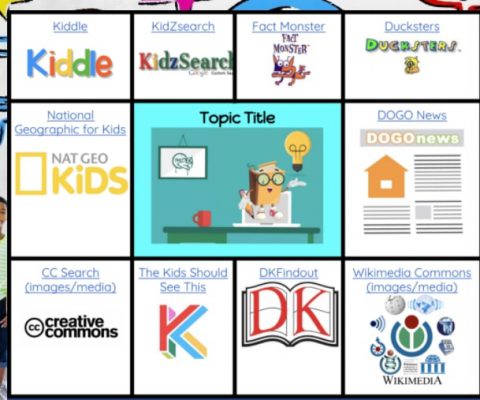
Shelly Sanchez Terrell’s blog, TeacherRebootCamp.com offers a number of musings and resources. Her December 19th posting within her December 2020 STEM Resources Digital Calendar, comments on student search engine and research site usage and reminds us of sites geared more towards education than the default Google and YouTube students might otherwise lean towards. Sites such as The Kids Should See This, DK Findout, Ducksters, Science News for Students, are just some of the ones she calls out. Certainly you might already be familiar with some, but perhaps you will encounter one that is new to you that you find worthwhile enough to bring to the attention of some of your students. Happy researching.
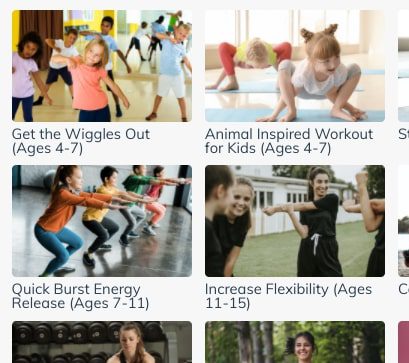
Sworkit Kids is a great place to find fun activities to use as physical brain breaks during in-person and online classes, according to Richard Byrne. The video embedded below is his overview of the site.
Closed captions are an essential accessibility tool for people who are deaf or hard of hearing (and for people with other conditions as well). Captioning is also a useful feature for many students as an additional representation of information in a virtual setting. Previously in Zoom, closed captioning was only available from third party providers or by assigning someone to type captions. Now automatic, live transcription of closed captions is an available feature in the Zoom desktop client (not the Chrome browser application). Once enabled, this automatically adds text to the bottom of the video with what the host and others are saying. Please note however, live transcription does not work in breakout rooms, only within the main session.
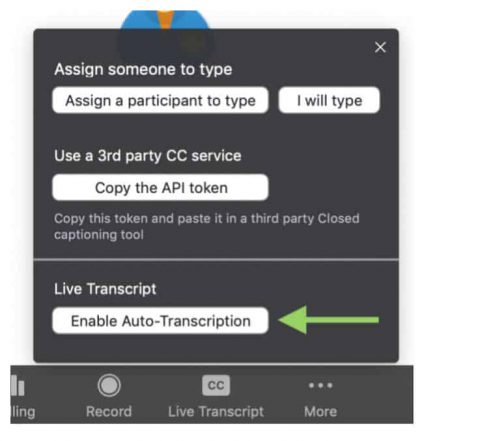
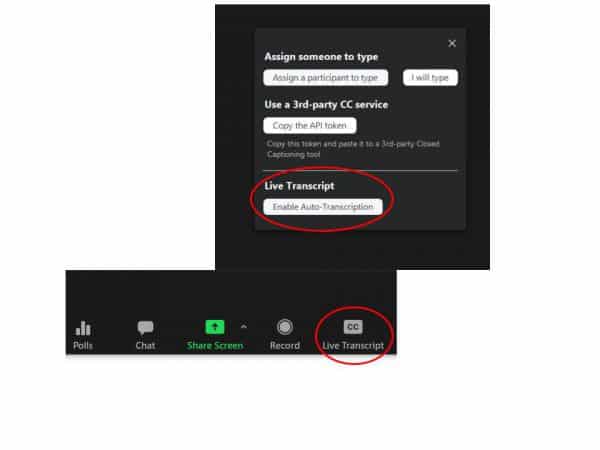
The option to turn on Closed Captioning is in the Zoom toolbar (it may be under “More” depending on window size).
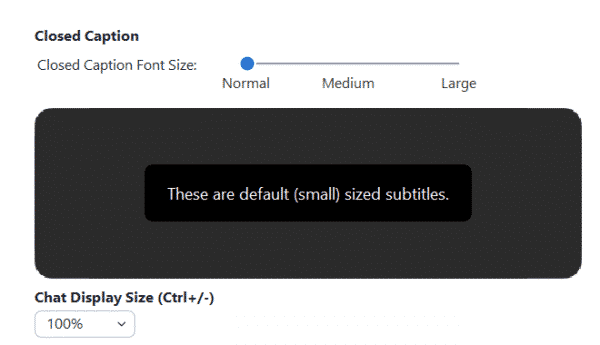
When closed captioning is enabled, as the host you will see the live-transcript below your video, but they DO NOTautomatically appear for your participants. Instead, participants will receive a notification and must click the “Closed Caption” option in the menu bar (and usually click Show Subtitle) to start viewing the captions. Once they have done so, the size of the captions can be adjusted under “Accessibility” in the video settings.
Adjust font size in “Video Settings,” under “Accessibility.”
Elaborating on the CC options:
Show Subtitles – Displays captioning on the bottom of the video. You can also select Hide Subtitle once subtitles are selected to hide them.
View Full Transcript – Opens a panel/pop-up and displays captions in real-time with both the speaker’s name and time stamp. In that pop-up, participants will also see a button to save the transcript (this button might not be available if the host has disabled this functionality). If enabled, click Save Transcript. A copy of the transcript as a .txt file will be downloaded to your machine. Note: Transcripts save up to the moment when you click Save Transcript. If you click Save Transcript multiple times throughout the event, it will overwrite/update the existing file. We recommend clicking Save Transcript just before the meeting ends to ensure you have the transcript from the entire meeting. There is no option to auto-save these transcripts.
Bear in mind:
Speak slowly, it will help the system capture the words you are saying
If there are any loud disruptions (i.e. cars outside or school bells) pause and hold your thoughts until the noise passes.
If you are hosting a meeting with live-transcription, we recommend making a comment at the beginning of your meeting informing your meeting participants that live-transcription is available and a note about how to enable them. Encourage all your students to try turning the captions on to see if it has an impact on their comprehension or capacity to pay attention. Make it a best UDL (Universal Design for Learning) practice to enable closed captioning during all of your meetings.
For more information on UDL and closed captioning, please read this article.
With the start of the 2nd semester arriving soon, we’d like to again provide step by step directions (please see below) for those teachers interested in transferring content from one Canvas course to another. We shared similar directions covering the export/import process at the outset of our school year to assist teachers in migrating content out of courses they had created and built in to the MISTAR-rostered course shells that appeared in their accounts.
Google Assignments: Create new or edit existing Google Assignment Assignments within Canvas to use the Google Assignments External Tool option, not Google Cloud Docs (to update them to the new integration since the old integration will be deprecated this summer). When the course export is used, Google Assignments also transfer to the new course.
*Please note that canvas exports do not include backups of student interactions and grades. Grades can be exported separately as CSV files.
**Year-long courses do not apply here. However, it is still good practice to make backups of your courses.
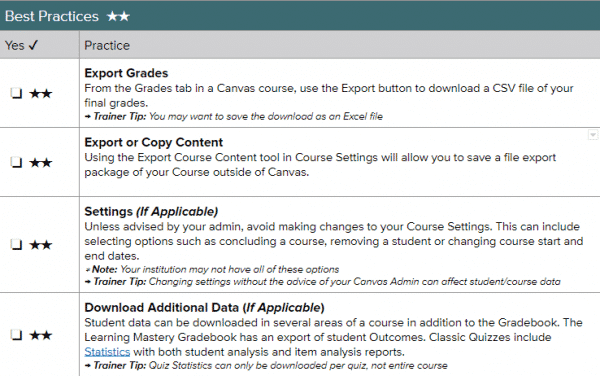
Below are some best practices when transferring content, this includes exporting your grades, settings, and downloading additional data.
Best Practice: Keep Sem 1 and Sem 2 clean and separate to have easier content management and processing. For those with a course that spans the year, consider just copying the last module or most recent content from your Semester 1 course into your Semester 2 course so that you are starting with an almost fresh course. (You can always have view access extended to the Semester 1 course so that students are able to review their past work at any time – unless you’d prefer to restrict access to that course content.)
You could also extend course dates in Semester 1 courses if you need students to have more time to participate/work in those courses, although you will need to bear in mind MISTAR grade submission deadlines.
The Webby Awards annually note websites with interesting design and elements to explore. Here are some sites you might want to check out, in no particular order:
Future of Tech hosts a free & growing library of resources to get you up to speed on what’s new & next.
Poly is an online library where people can browse, share, and remix thousands of 3D models or scenes.
Every so often we share news of EdTech websites to check out. Today we’re alerting you to three, each of which is chockablock with tips and musings to explore within the interface of pedagogy and tech.
Jake Miller is known for his animated gifs and the embedded lessons he puts in them. Check out one strand of his efforts to educate on Google Sheets HERE or all of his animated GIFS in a folder HERE
Earlier this week the district updated Canvas with the dates of the three grading periods for all of our elementary school year-long courses. Consequently, elementary school teachers are now able to filter their grade books, assignments’ list, and students’ grades pages by trimester instead of having to view all graded content from the school year. Since implementation, STUDENTS only have VIEW-ONLY ACCESS to first trimester course content and are no longer able to submit work for assignments associated with the first trimester since it is not the current grading period AND TEACHERS similarly CAN NO LONGER ADJUST GRADES/FEEDBACK for first trimester submissions.
* High School Teachers – likely we will be setting grading periods for your semester-long and year -long courses too, so that you may filter by term as well.