
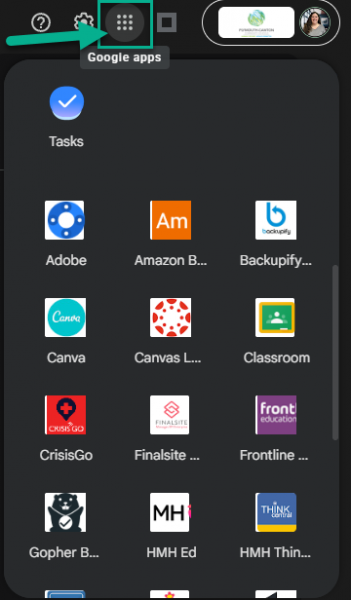
Google is often updating and changing their platform and many people have noticed that the “waffle” on www.google.com or a new tab no longer displays your P-CCS apps. Rest assured, the apps are not gone, they just have to be accessed in a slightly different way.
Here are 2 easy ways to access the P-CCS “waffle” apps:
- P-CCS Bookmarks: In the top-left of your Chrome browser, click the P-CCS Bookmarks folder, and select Google Workspace Dashboard.
- Inside an active Google App: Open Gmail, Google Drive, or Google Calendar. The waffle icon in the upper-right corner inside these apps will contain all of our standard P-CCS “waffle” apps.