 Orange Slice: Teacher Rubric
Easily and quickly make rubric selections and convert the Analysis or Holistic rubric into a percentage or points grade.
Teacher Rubric is an add-on that will increase your grading productivity and it professionally presents a scored rubric and grade for your students.
Google docs and Classroom are fantastic applications to create, distribute and receive submitted assignments from students. However, the grading process seems to bring the efficiency to a screeching halt. Where can the grade be placed so it stands out from the assignment? How can rubric selections be made easily? I like rubrics but the final grade can be tedious to calculate. It takes too many highlights, clicks and time to format grades on 125 submissions.
OrangeSlice: Teacher Rubric increases the teacher’s grading productivity by eliminating repetitive clicks, presenting the rubric selections in an easy to use format and presenting the final grades in a consistent, professional format. More time is created for the teacher to provide the needed constructive feedback their students need for success.
Get Teacher Rubric here: https://chrome.google.com/webstore/detail/orangeslice-teacher-rubri/hfbffoacepkeklpippgijnoemfmiondo?hl=en-US
Video Tutorial: https://www.youtube.com/watch?v=-peeiWmHs1g
🙂 中文, Español, हिंदी, العربية, português, বাঙালি, русский, 日本語, Deutsche,
français, ਪੰਜਾਬੀ ਦੇ
 CoRubrics
CoRubrics, an add-on for Google Sheets helps teachers in the assessment process. It is used to assess students (or groups of students) with a rubric designed by the teacher and also allows students to assess other students (coevaluation).
CoRubrics automates the entire process. First, teachers design the rubric they want to use in Google Sheets, then they add the students’ names and their email address. (These can be imported from Google Classroom). Once this is done, the add-on will:
- Create a Google Form with the contents of the rubric.
- Send the form to the students by email or simply provide the link to the teacher.
- Process the data once the form is filled out (by the students or by the teacher).
- Finally, send the results to the students (each student receives only their results) with a personalized comment.
In addition, CoRubrics allows:
- Insert comments when answered.
- Allow Co-evaluation, self-assessment and teacher assessment with one link.
Get CoRubrics here: https://corubrics-en.tecnocentres.org/home
Video Tutorial: https://www.youtube.com/watch?v=9hAPkbdm29Q


 The resources and content on this site are FREE to use and are Open Educational Resources. The MiTechKids website provides K-5 educators with resources for integrating technology into activities in the classroom to prepare students for success in the real world. This site extends the 21things4students.net website that is designed for grades 5-9 to the K-5 grade levels.
 We’ve received lots of great feedback from the Elementary i3 conference and our SMART trainers continue to be a popular addition to our professional learning options. This year was no different, as Jason Smith and Sarah Storck shared their deep knowledge of the SMART Learning Suite platform and how easy, fun, and engaging designing content can be when using SMART LS in classrooms. In case you misplaced the resource, or wanted to revisit the great resources Sarah and Jason shared with us, please follow this link:

 DocsTeach is an online tool developed for teaching with documents from the National Archive. It has a rich access to thousands of
 Scratchwork
 Remind previously announced that their service would no longer work with Verizon after January 28, 2019 due to increased cost of Verizon text messaging services. It appears that Remind and Verizon have come to an agreement, which will prevent any interruption to Remind notifications sent to Verizon customers. While this is good news for now, we encourage staff to promote the use of the Remind app for notifications to avoid any potential future interruptions to text message notifications.

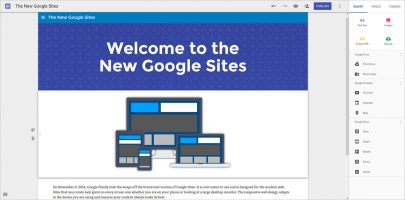 The New Google Sites is an amazing tool to use with students, and its simplicity is unparalleled when looking for a modern tool to help students create modern content that demonstrates their learning. It is also a great way to share content as an educator and professional, as demonstrated by the following examples: